Founder and product engineer
PufferPOS
A founder-built POS and operations SaaS for cafes and workspaces.
Launched MVP on June 3, 2026. Self-serve onboarding and a 14-day trial are live.
Context
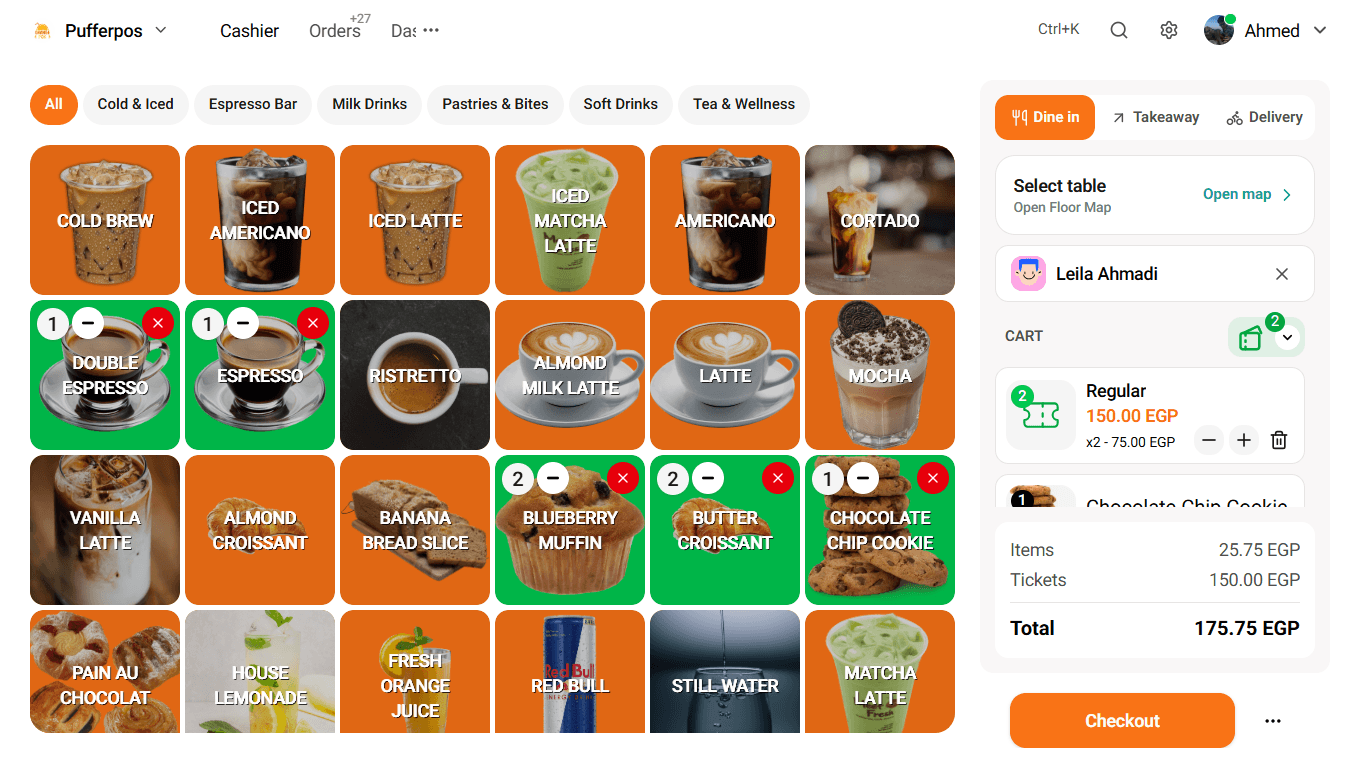
PufferPOS started from a local workspace and cafe where too much of the business depended on notebooks, paper, memory, and manual follow-ups.
Orders were hard to track. Inventory was painful. Shift closing was messy. Cancelled orders were hard to explain later. The owner did not always have a clear view of profit and loss.
I first built a simple POS demo for that environment. Over time, I kept rebuilding screens, removing bad decisions, and turning that practical workflow problem into PufferPOS.
What I built
I built PufferPOS as a browser-based SaaS product for cafes and workspaces. The current MVP is live at pufferpos.com with self-serve onboarding and a 14-day trial.
The product is not only a checkout screen. It connects selling, tables, stock, expenses, customers, staff permissions, dashboard reporting, onboarding, billing gates, and public menu browsing.
- POS and cashier workflows
- Active order and kitchen-style status views
- Table and floor management
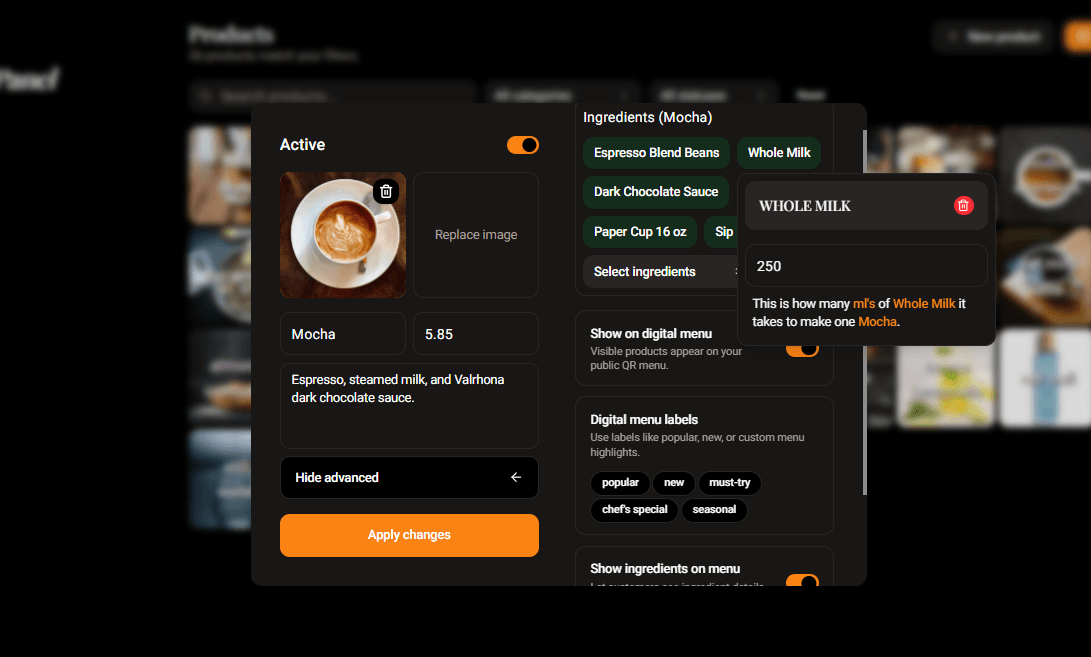
- Product, category, recipe, and ingredient tracking
- Stock, vendors, expenses, customers, and shifts
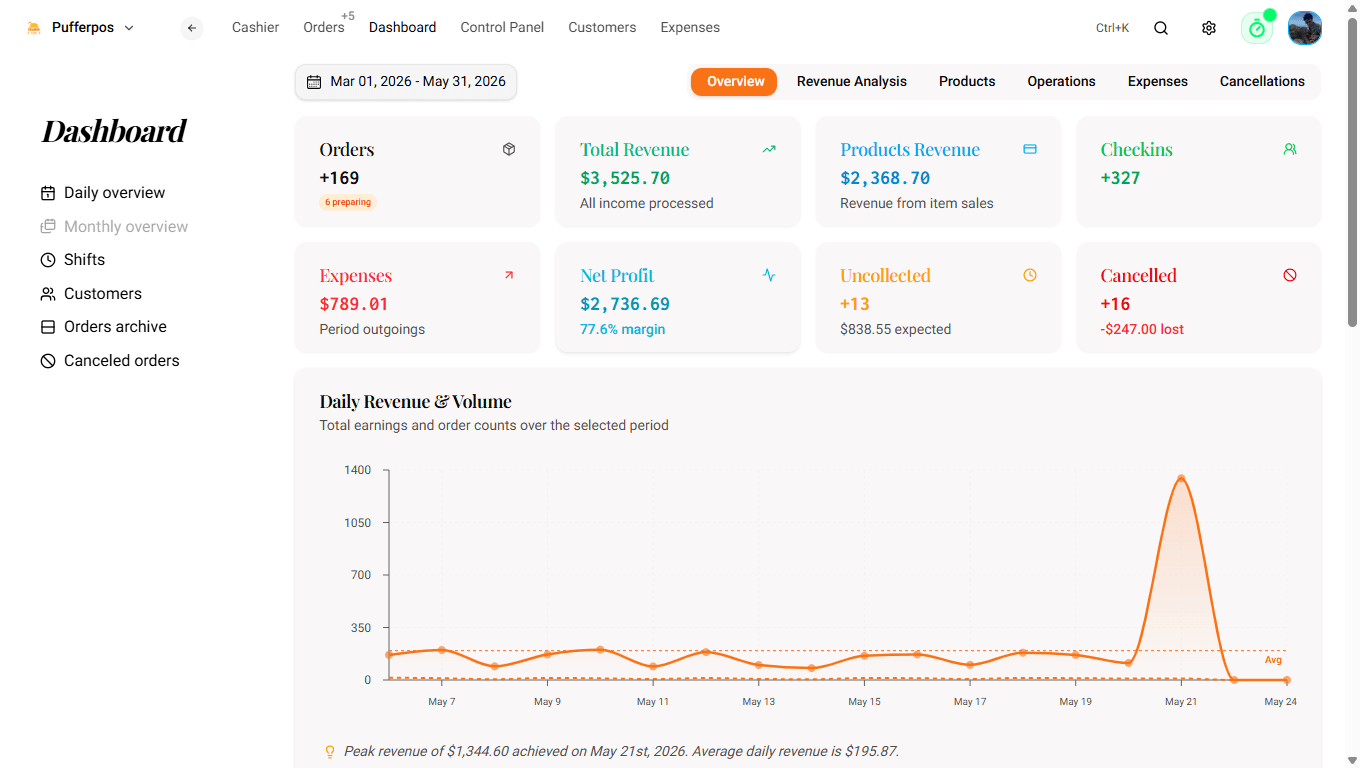
- Dashboard analytics and daily snapshots
- Onboarding with demo data
- Organization-scoped data, billing gates, and RBAC
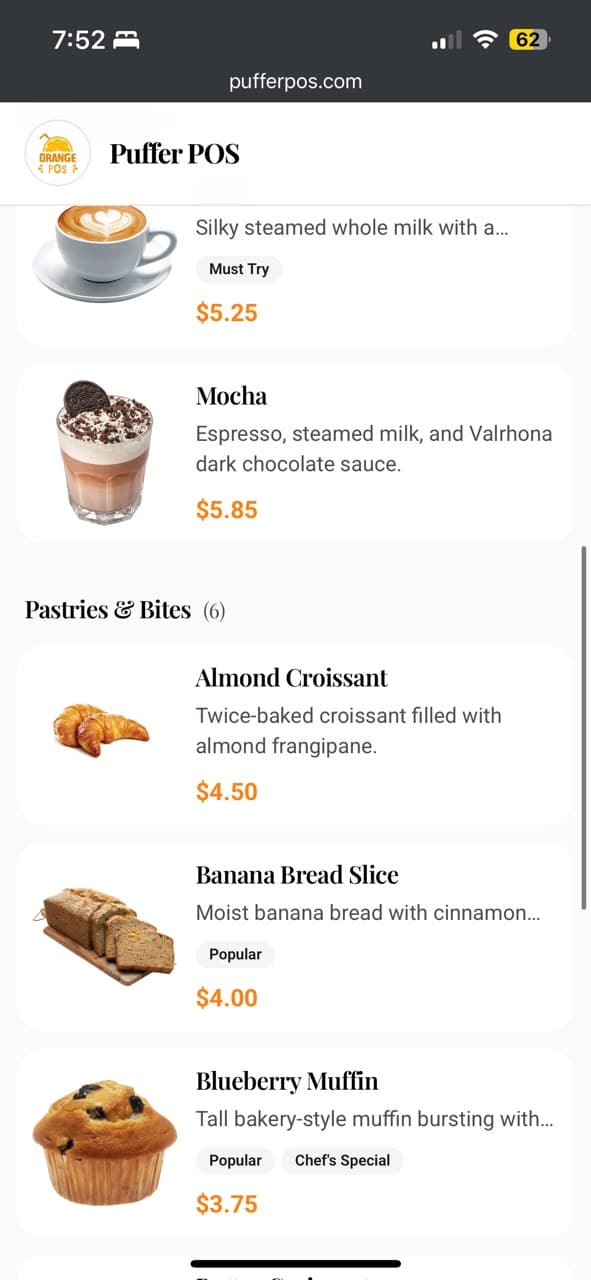
- Public read-only digital menu
Product decisions
The strongest decision was designing around connected operations. A sale can affect stock, table state, customer history, daily analytics, shift totals, and what the owner sees later.
I kept the public menu read-only for this version because the staff workflow matters more than adding a feature too early. Guests can browse cleanly, while the operational core stays focused.
I also treated onboarding as part of the product. Empty operational software feels dead, so demo data helps a new workspace understand the system before its own catalog is ready.
Technical decisions
I chose Next.js, TypeScript, Firebase Auth, Firestore, Firebase Storage, Firebase Admin SDK, NextAuth, and Vercel cron routes for the MVP.
Firebase was a speed decision. Real-time order, stock, table, and dashboard updates matter in this product, and Firestore let me move quickly without building WebSockets, Redis, pub/sub, and a heavier backend first.
The important tradeoff is trust. A serious POS lives or dies on totals, stock changes, permissions, and reconciliation, so that boundary is where I would invest earliest in the next version.
- Organization-scoped Firestore data for v1 tenancy
- Firestore transactions for order, stock, table, and analytics changes
- Daily analytics snapshots to reduce expensive dashboard reads
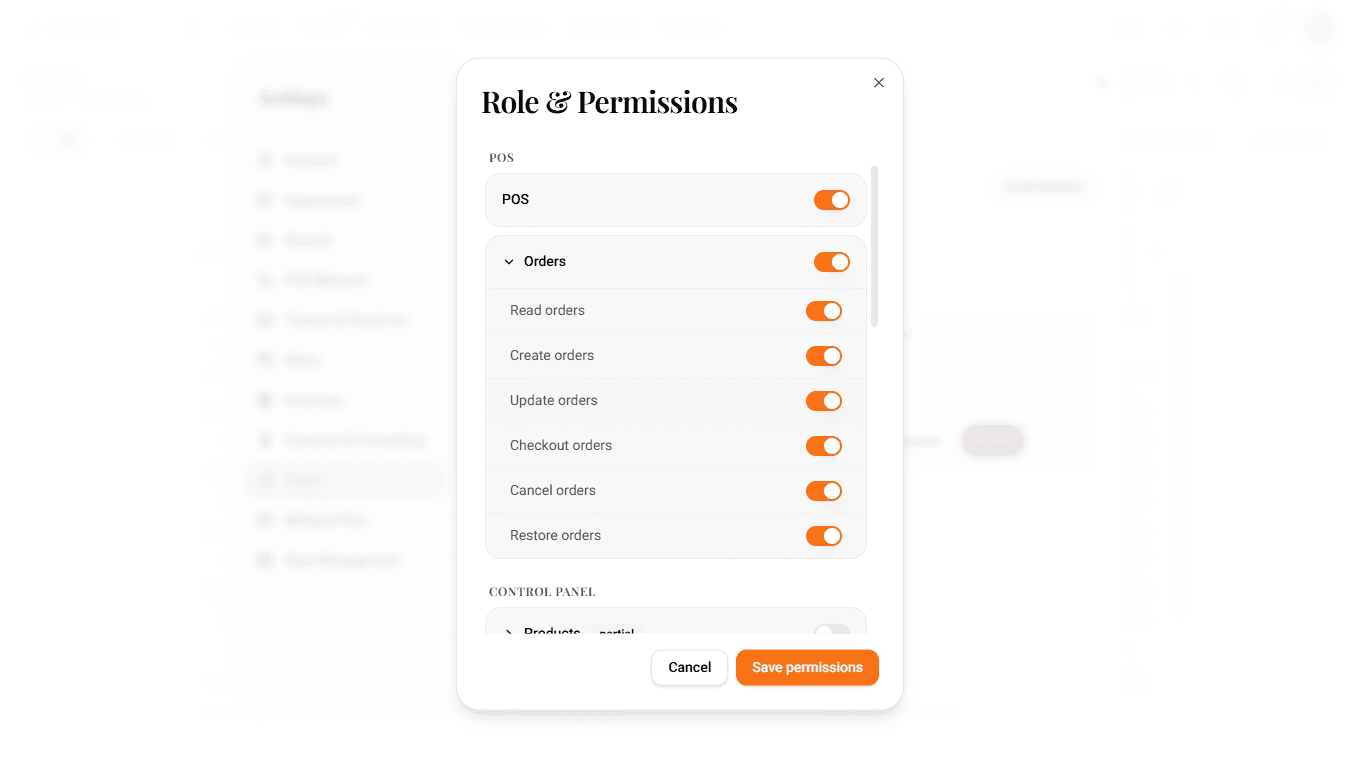
- Resource/action permissions for staff roles
- Cron jobs for lifecycle and maintenance work
Early traction
Since launch, PufferPOS has reached 30 signups and 22 organizations. I treat that as early signal, not the whole story.
The important part is that the product is live, onboarding works, and someone can enter a workspace, seed demo data, and understand the system without me standing beside them.
Gallery
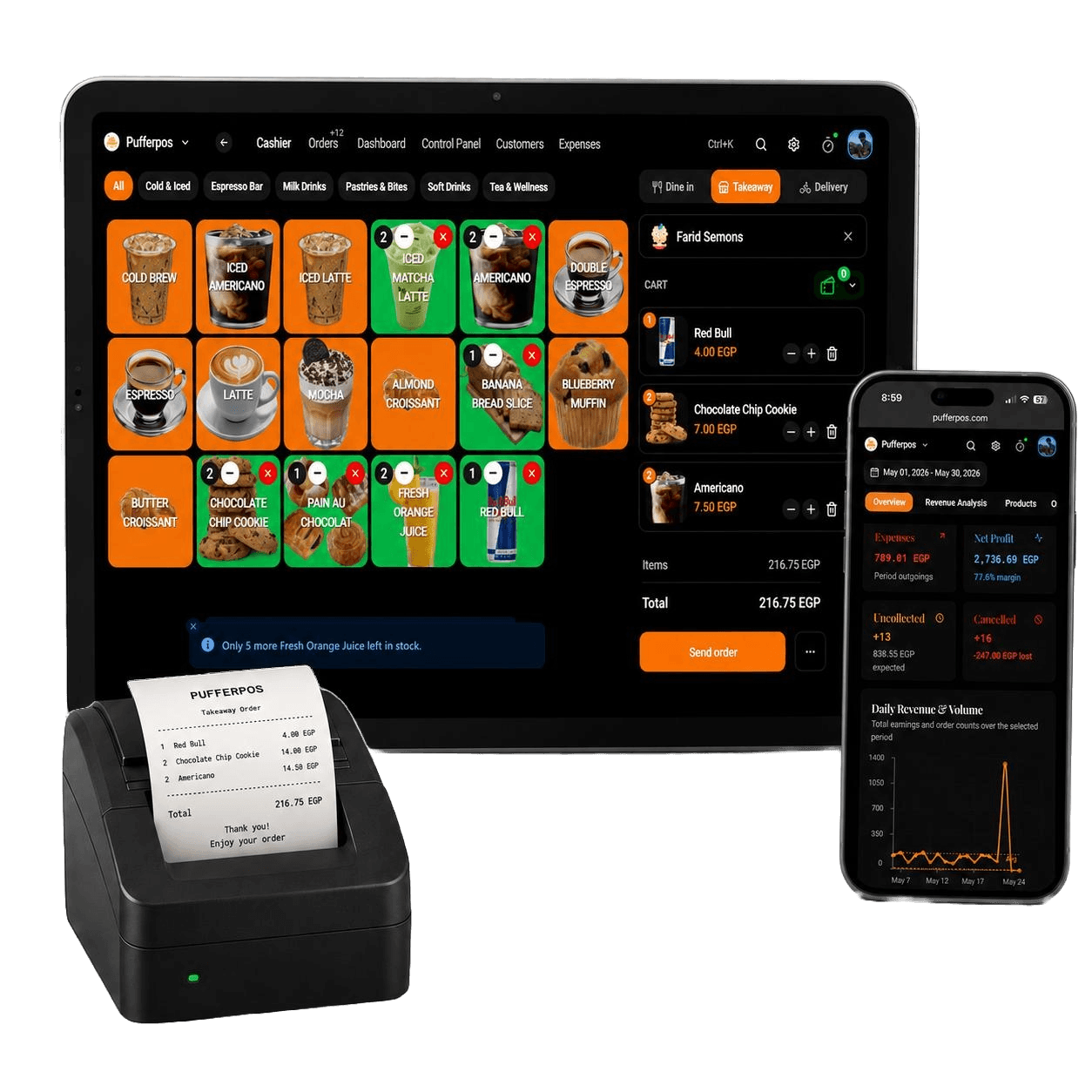
These images show how I present PufferPOS around the actual product screens: POS, mobile menu, dashboard context, and launch-ready visual material.
Screenshots
These are product screens from the current PufferPOS experience. I included them because the interface itself carries the story: workflows, permissions, inventory, dashboard, and mobile menu.
Lessons
I shipped a lot of surface area quickly. The breadth matters, but the next product work is about tightening the order, stock, permission, receipt, tax, refund, and offline edges around the core POS loop.
The daily snapshot refactor was a good tradeoff. It made dashboards faster and cheaper to read, and it taught me to design reporting paths with reconciliation in mind from the start.
The main thing I would do differently is narrow the first public version harder, then make the core checkout and operations loop even stronger before expanding.